

The best-planned import that runs during clinic hours becomes the worst-planned incident. A FHIR server that sustains 2000 writes/second under bench load might sustain 300 writes/second when the app is also serving read traffic. Picking the right window is a specific planning discipline that saves the phone-ringing calls from clinicians who cannot pull up a chart. The site's Bulk import time estimator factors production traffic into its projections. For the wider FHIR framing, more outpatient FHIR coverage has more.
The Traffic Curve
Every FHIR server has a daily traffic pattern:
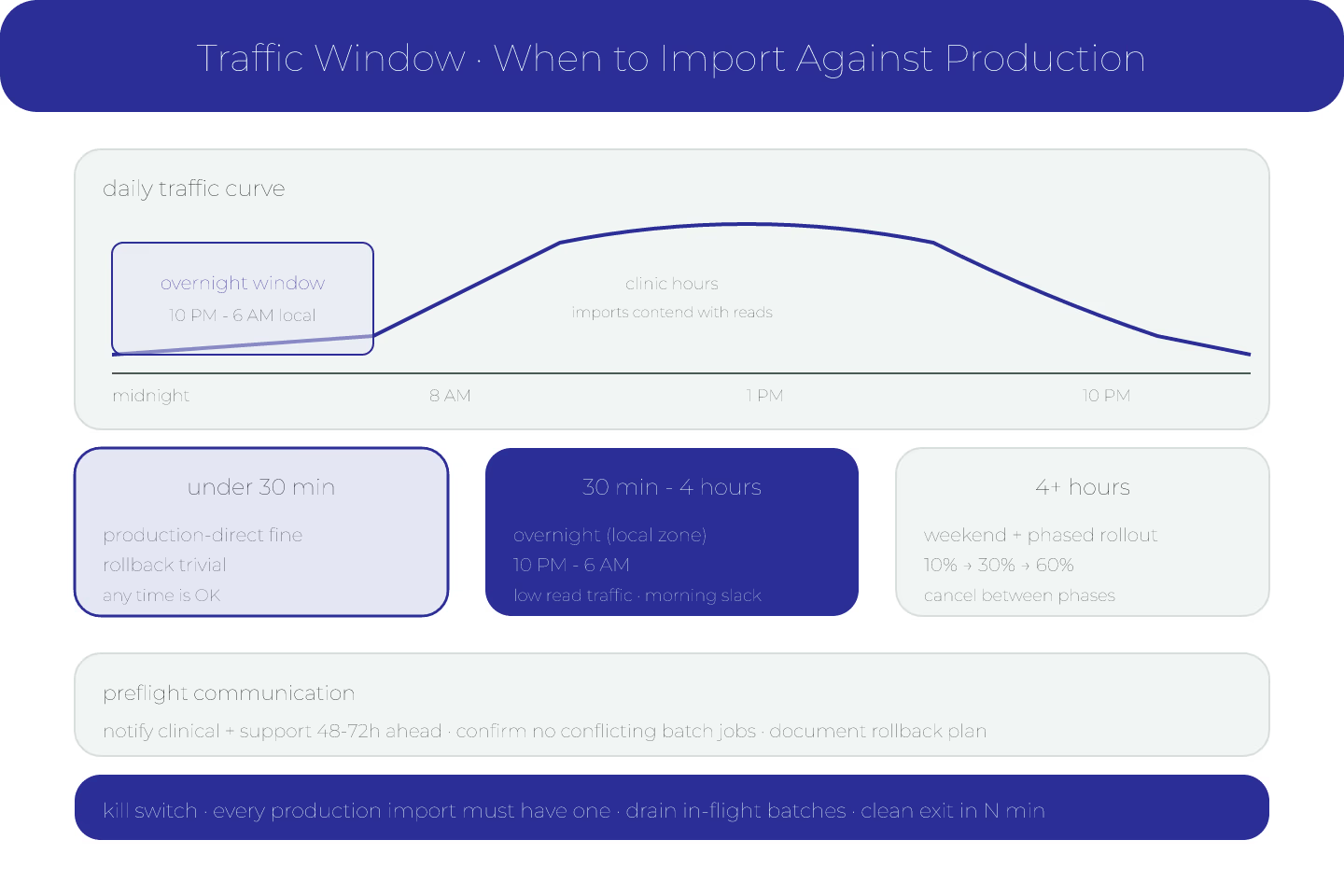
- Clinic hours (8 AM - 6 PM local) — high read, moderate write
- Overnight (10 PM - 6 AM local) — low read, batch jobs
- Weekends — low read, maintenance windows
The import lands into that curve. Peak-hour imports compete with clinicians for resources.
For the base ETA framing, predicting how long a FHIR data import will take is the entry.
Overnight Wins Most Of The Time
The default choice for a non-trivial import is overnight in the target region's timezone. Reasons:
- Read traffic is low
- Clinical workflows are not disrupted if throughput dips
- Recovery time is available in the morning if something breaks
Overnight is the safe default for imports over 30 minutes.
Weekend For Multi-Hour Imports
Anything expected to run 4+ hours should be weekend, not overnight weekday. Reasons:
- More slack in case of failure
- Fewer people affected if it runs into Monday morning
- Support teams have longer windows to respond
For the monitoring side, monitoring an in-flight import for the numbers that matter is the entry.
The DST Trap
Scheduling an import to start at 2 AM local in a DST region can mean starting at 3 AM after spring-forward or 1 AM after fall-back. Use UTC for scheduling; convert to local for communication.
The Contention Question
If the import shares infrastructure with production traffic:
- The database — imports contend for write locks
- The connection pool — imports consume connections
- CPU — indexing and validation are CPU-intensive
Any of these can cause production traffic to slow. Test the contention on a lower environment before running in production.
For the staging discussion, when an import needs a staging environment is the entry.
The Read-Traffic Impact
Even a well-behaved import consumes read capacity — validation lookups, reference verification, terminology $expand calls. That competes with clinician reads.
Rule: measure the read-traffic impact on the target during a test import. If reads slow by more than 30%, reschedule.
Communication Before Running
- Notify clinical teams 48-72 hours in advance
- Notify support and on-call
- Confirm no other batch jobs are scheduled in the window
- Have a rollback plan documented
Skipping communication makes the "why is the system slow" call a mystery for the receiver.
The Kill Switch
Every import running against production should have a kill switch:
- Operator stops the import
- Workers drain in-flight batches
- No new work started
- Clean exit within N minutes
Without a kill switch, a bad import runs to completion regardless.
The Progressive Roll-Out
For very large imports, consider running in phases:
- Phase 1 — 10% of data during a small window
- Phase 2 — 30% after verifying phase 1
- Phase 3 — 60% after verifying phase 2
Each phase can be canceled without wasting the whole schedule. For the recovery side, recovering from a failed import without starting over covers the mechanic.
The Short Version
Overnight for medium. Weekend for long. Communicate 48-72 hours ahead. Use UTC for scheduling. Kill switch. Phased rollout for the biggest imports. That is the traffic-window discipline.
Sources
- HTML - HTML, HL7 FHIR - Asynchronous Interactions in FHIR
